Kimi K2.5: Deep Dive into Moonshot AI's Multimodal Mixture-of-Experts & Agent Swarm
An in-depth technical guide to Kimi K2.5, detailing its 1T Mixture-of-Experts (MoE) architecture, 256K context window, native vision-language processing, and parallel Agent Swarm orchestration.
Quick Summary
- What is Kimi K2.5? Kimi K2.5 is a frontier visual-language model (VLM) featuring a sparse Mixture-of-Experts (MoE) architecture with 1 trillion total parameters (32B active parameters per forward pass). It is specifically optimized for advanced visual reasoning, multi-step agentic execution, and long-context processing (up to 256K tokens).
- Who created it? Developed and open-sourced by Moonshot AI in January/February 2026.
- What makes it different? Unlike models that treat vision as a secondary feature or process images via sub-image tiling, Kimi K2.5 introduces native joint text-vision pre-training and reinforcement learning. Furthermore, it implements the “Agent Swarm” framework, enabling the model to dynamically decompose complex tasks and orchestrate up to 100 specialized sub-agents to solve them in parallel.
- Best use cases: Visual coding/debugging, automated codebase refactoring/dependency upgrades, multi-step visual reasoning (such as analyzing complex layouts/diagrams), structured data extraction from multi-format documents, and autonomous tool-use agents.
- Main limitations: Extreme local hardware requirements due to its 1T scale (relying on tensor-parallel setups or KTransformers CPU+GPU offloading), susceptibility to agent orchestration failures in highly unstructured environments, and lack of built-in sandboxed code execution natively.
- Who should try it? AI developers building complex RAG or agentic systems, mobile and web engineers leveraging UI-to-code visual pipelines, and organizations looking to run a high-throughput, open-weight reasoning model locally or via highly parallelized API swarms.
Kimi K2.5 Explained: A Deep Dive into Moonshot AI’s Multimodal and Agentic AI Model
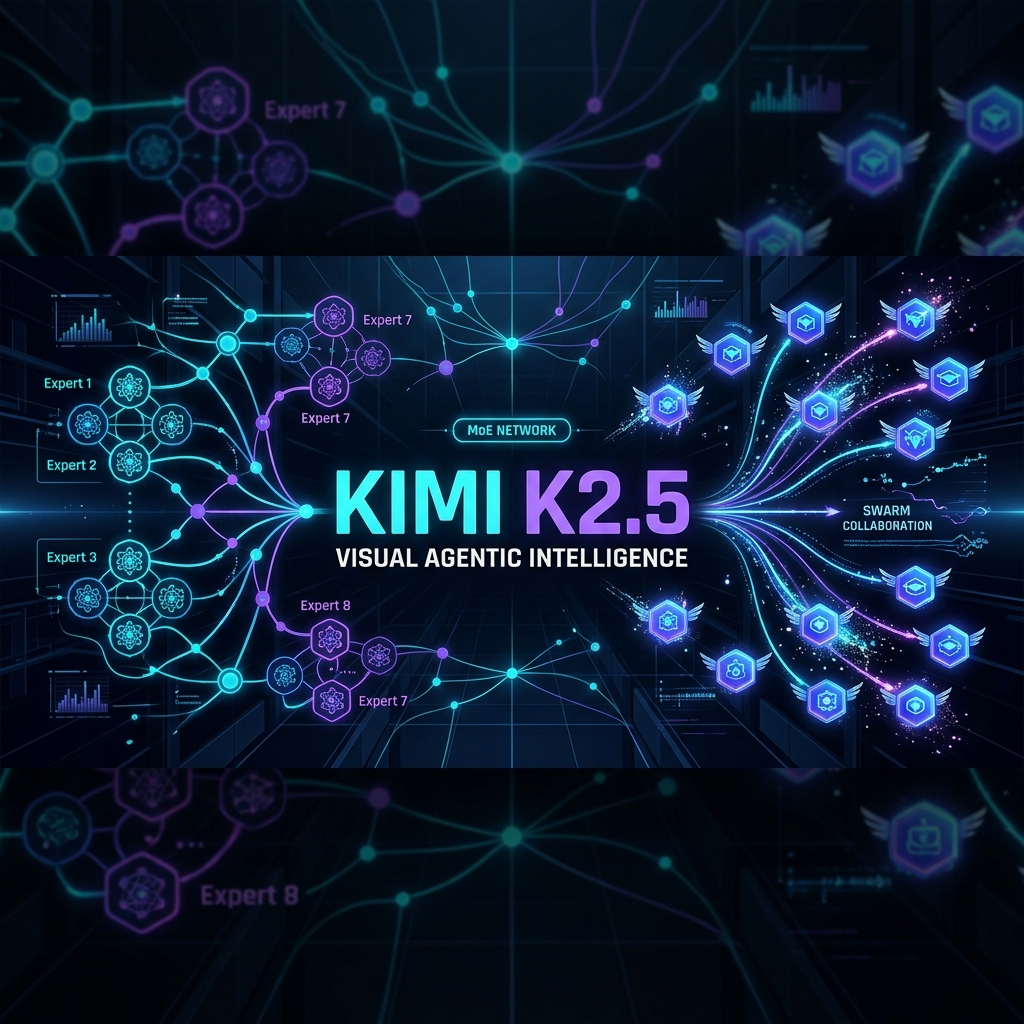
1. Introduction: Why Kimi K2.5 Matters for Developers
In the current landscape of Large Language Models (LLMs), the race has shifted from merely increasing parameters to optimizing inference-time computation, agentic workflows, and native multimodality. The release of Moonshot AI’s Kimi K2.5 marks a milestone in this transition.
Kimi K2.5 is an open-weight, frontier-scale Mixture-of-Experts (MoE) model built to solve two of the most persistent bottlenecks in modern AI development: complex visual reasoning and high-latency agentic execution. By combining native joint text-vision optimization with a self-directed parallel agent orchestration system known as Agent Swarm, Kimi K2.5 represents a paradigm shift where visual understanding, code synthesis, and tool execution operate in unison rather than as isolated sub-systems.
2. What is Kimi?
Moonshot AI
Moonshot AI is an AI research and product development company founded by pioneering researchers in large-scale model optimization. The company focuses on developing large-scale models optimized for long-context windows and agentic capabilities, offering commercial services through its user-facing platform, “Kimi” (kimi.ai).
The Kimi Family
The Kimi ecosystem evolved through a sequence of models focused on scaling the context window:
- Kimi Chat (Initial Releases): Established Moonshot’s reputation by popularizing 200K-token context windows in consumer chat systems.
- Kimi-K2-Base: The core base model pre-trained on massive text corpora, optimizing attention mechanisms to support high-throughput retrieval over massive context spans.
- Kimi K2.5: Released in early 2026, Kimi K2.5 expands the base capabilities by introducing native vision processing, a sparse MoE architecture, and advanced reinforcement learning for tool-use and reasoning tasks.
3. What is Kimi K2.5?
Kimi K2.5 is a native visual-language model (VLM) constructed through continual pre-training on approximately 15 trillion mixed visual and text tokens atop the Kimi-K2-Base checkpoint.
High-Level Capabilities
- Dual Operation Modes: Kimi K2.5 supports both a “Thinking” mode (for multi-step reasoning, where it emits chain-of-thought tokens before returning the final answer) and an “Instant” mode (for rapid, direct answers).
- Sparse Mixture-of-Experts: Operates with 1 trillion total parameters, but only activates 32 billion parameters per forward pass, keeping inference computationally viable.
- Large Context Window: Natively supports up to 256K tokens, allowing developers to feed entire repositories, multi-page PDFs, or long video transcriptions directly into the prompt.
- Unified Vision & Text: Rather than passing images through a separate captioning pipeline, Kimi K2.5 incorporates a native vision encoder that shares embedding space with text tokens, facilitating unified visual reasoning.
4. Kimi K2.5 Architecture
To understand Kimi K2.5, it is helpful to look under the hood at its MoE routing and attention mechanisms.
       Input Token
           │
           ▼
┌──────────────────────┐
│  Multi-head Latent   │  ◄── Compresses KV Cache
│   Attention (MLA)    │
└──────────┬───────────┘
           │
           ▼
┌──────────────────────┐
│    Gating Network    │  ◄── Selects top 8 experts + 1 shared expert
└──────┬────────┬──────┘
       │        │
 ┌─────▼───┐ ┌──▼──────┐
 │Expert 1 │ │Expert 8 │  ◄── Total of 384 lightweight experts per layer
 └─────┬───┘ └──┬──────┘
       │        │
       └────┬───┘
            │
            ▼
┌──────────────────────┐
│    Shared Expert     │  ◄── Prevents representation drift
└──────────┬───────────┘
           │
           ▼
      Output Token
Layer Configuration
- Total Layers: 61 layers, comprised of 60 MoE layers and 1 dense layer (inserted to stabilize early representation layers).
- Expert Count: 384 distinct, lightweight experts per layer. Each expert contains ~44 million parameters.
- Gating & Selection: For every token, the routing mechanism selects the top 8 experts based on token characteristics, plus a dedicated Shared Expert. This means 9 modules are activated per layer per token. The Shared Expert is trained to capture common syntax and semantic structures, preventing representation drift among specialized experts.
- Attention Mechanism: It utilizes Multi-head Latent Attention (MLA). MLA compresses the Key-Value (KV) cache into a low-rank latent vector during generation, reducing the VRAM overhead of the 256K context window.
- Vision Encoder (MoonViT): It integrates the MoonViT-3D encoder (~400M parameters). MoonViT processes text, images, and video frames simultaneously in a shared embedding space, avoiding the need for sub-image splitting or splicing.
- Post-Training & Reinforcement Learning: Post-training leverages Joint Reinforcement Learning (RL), combining math, coding, and tool-use rewards. Moonshot AI employs a reward model that scores reasoning paths, forcing the model to verify its assumptions before outputting code or executing APIs.
5. Multimodal Capabilities
Kimi K2.5 is built to handle complex, multimodal tasks directly. By integrating text and vision natively, it avoids the degradation typical of modular pipelines.
Visual Reasoning & Document Extraction
Developers can feed complex visual inputs such as flowcharts, architecture diagrams, and financial tables. The model excels at:
- Visual Coding & UI-to-Code: Translating UI mocks/screenshots directly into Jetpack Compose, React, or Swift UI code.
- Multimodal Debugging: Analyzing error screenshots, log outputs, and source code side-by-side to pinpoint the failure.
- Chart-to-Data Parsing: Reading high-resolution scatter plots, bar charts, or architectural prints and outputting JSON schemas representation of the underlying data.
6. Agentic AI Capabilities
One of the most important aspects of Kimi K2.5 is its agentic framework. In traditional systems, executing a complex task requires a linear chain-of-thought:
User ➔ Plan ➔ Tool 1 ➔ Tool 2 ➔ Result
This serial execution leads to high latency and makes multi-step workflows impractical.
The Agent Swarm Paradigm
Kimi K2.5 addresses this with Agent Swarm, a self-directed parallel orchestration framework. When faced with a complex goal, Kimi K2.5:
- Decomposes: Breaks the main task down into a dependency graph of heterogeneous sub-tasks.
- Assigns: Spawns specialized sub-agents (up to 100 in parallel) suited for specific roles (e.g., Code Searcher, Test Runner, Dependency Analyzer).
- Executes: Runs up to 1,500 parallel tool calls across the swarm.
- Verifies: Merges results, checks for errors, and runs verification loops before delivering the final output.
                  ┌──────────────────┐
                  │    User Prompt   │
                  └────────┬─────────┘
                           │
                           ▼
                  ┌──────────────────┐
                  │   Agent Swarm    │
                  │  Orchestration   │
                  └────────┬─────────┘
                           │
         ┌─────────────────┼─────────────────┐
         ▼                 ▼                 ▼
 ┌───────────────┐ ┌───────────────┐ ┌───────────────┐
 │ Sub-Agent A   │ │ Sub-Agent B   │ │ Sub-Agent C   │ (Up to 100 parallel agents)
 └───────┬───────┘ └───────┬───────┘ └───────┬───────┘
         │                 │                 │
         ▼                 ▼                 ▼
 ┌───────────────┐ ┌───────────────┐ ┌───────────────┐
 │  Tool Call A  │ │  Tool Call B  │ │  Tool Call C  │ (Up to 1,500 tool calls)
 └───────┬───────┘ └───────┬───────┘ └───────┬───────┘
         │                 │                 │
         └─────────────────┼─────────────────┘
                           │
                           ▼
                  ┌──────────────────┐
                  │   Verification   │
                  └────────┬─────────┘
                           │
                           ▼
                  ┌──────────────────┐
                  │   Final Output   │
                  └──────────────────┘
This parallelization reduces end-to-end inference latency by up to 4.5× compared to traditional sequential agent frameworks.
7. Practical Developer Examples
Let’s look at how developers can utilize Kimi K2.5 across various engineering domains.
Example 1 — Coding Assistant
Kimi K2.5 can ingest an entire codebase via its 256K context and refactor legacy structures.
Prompt:
“Review this legacy repository structure. I want to refactor the old callback-based networking layer in
NetworkManager.ktto Kotlin Coroutines and Flow, ensuring we handle backpressure and network cancellations properly.”
Response Output (Kotlin snippet):
// Generated by Kimi K2.5
class NetworkManager(private val apiService: RetrofitService) {

    // Legacy Callback refactored to Flow
    fun fetchUserData(userId: String): Flow<Resource<UserResponse>> = flow {
        emit(Resource.Loading())
        try {
            val response = apiService.getUser(userId)
            if (response.isSuccessful && response.body() != null) {
                emit(Resource.Success(response.body()!!))
            } else {
                emit(Resource.Error("API error: ${response.code()}"))
            }
        } catch (e: IOException) {
            emit(Resource.Error("Network failure. Check connection.", e))
        }
    }.flowOn(Dispatchers.IO)
}
Example 2 — Image / Screenshot Analysis
A developer uploads an Android UI screenshot and asks Kimi K2.5 to convert it to modern UI code.
Prompt:
“Analyze this mobile dashboard UI screenshot. Identify the key visual components and suggest a modern Jetpack Compose implementation using Material 3 guidelines. Highlight any UX issues you spot.”
Kimi K2.5 Visual Analysis Output:
- Visual Components Identified: Card-based statistics grid, linear progress bars with rounded corners, custom radial chart showing activity metrics, and bottom navigation bar with active state indicator.
- UX Suggestions: The contrast between the radial chart text and the dark-purple card background does not meet WCAG AA standards. Suggest changing text color to a lighter tint or adding a subtle glow.
- Compose Implementation:
@Composable
fun DashboardStatCard(
    title: String,
    value: String,
    progress: Float,
    modifier: Modifier = Modifier
) {
    Card(
        colors = CardDefaults.cardColors(containerColor = MaterialTheme.colorScheme.surfaceVariant),
        modifier = modifier.fillMaxWidth().padding(8.dp)
    ) {
        Column(modifier = Modifier.padding(16.dp)) {
            Text(text = title, style = MaterialTheme.typography.labelMedium)
            Spacer(modifier = Modifier.height(8.dp))
            Text(text = value, style = MaterialTheme.typography.headlineMedium)
            Spacer(modifier = Modifier.height(12.dp))
            LinearProgressIndicator(
                progress = { progress },
                strokeCap = StrokeCap.Round,
                modifier = Modifier.fillMaxWidth().height(8.dp)
            )
        }
    }
}
Example 3 — Document Analysis
Analyzing a complex API specification PDF and extracting structured JSON schemas.
Prompt:
“Extract all endpoints, request parameter structures, and response schemas from this API specification document. Format the output strictly as a JSON object matching the OpenAPI 3.0 specification.”
Output format:
{
  "openapi": "3.0.0",
  "info": {
    "title": "Payment Processing API",
    "version": "2.5.0"
  },
  "paths": {
    "/v1/payments": {
      "post": {
        "summary": "Initiate payment request",
        "requestBody": {
          "required": true,
          "content": {
            "application/json": {
              "schema": {
                "type": "object",
                "properties": {
                  "amount_cents": { "type": "integer" },
                  "currency": { "type": "string", "example": "USD" }
                }
              }
            }
          }
        }
      }
    }
  }
}
Example 4 — AI Agent
An autonomous workflow to locate and upgrade outdated dependencies.
System Workflow Setup:
- Model Action: Ingests
build.gradle.ktsand detects dependency versions. - Tool Action (Search): Queries Maven Central or Google Maven Repository to find the latest stable versions of targets.
- Model Action: Generates replacement edits for the version strings.
- Tool Action (Command Execution): Runs
./gradlew testin a sandboxed terminal. - Model Verification: Reads the compiler/test logs. If tests fail, it rolls back or generates patches to fix compilation errors.
Example 5 — Research Agent
Using Kimi K2.5 to perform deep technical comparisons.
Process:
- Step 1: Ingests research prompts and performs multiple parallel searches using a web search tool.
- Step 2: Compiles search results and maps arguments/benchmarks from competing vendors.
- Step 3: Analyzes contradictions across articles (e.g., conflicting API pricing tiers).
- Step 4: Outputs a synthesized markdown report detailing verified claims with explicit source linking.
8. How to Use Kimi K2.5
Developers can interact with Kimi K2.5 using three main channels: the official Moonshot AI API, OpenRouter, or running it locally via inference frameworks.
Official API Details
Moonshot AI provides an OpenAI-compatible REST API endpoint. This means you do not need to install custom SDKs; you can reuse your existing openai Python or Node.js packages.
- Base URL:
https://api.moonshot.cn/v1 - Default Model Name:
kimi-k2.5(Note:kimi-k2.5dynamically points to the latest stable revision).
9. API Example
Here is a practical integration example showing how to initialize the client, set the API key, handle streaming, and configure parameters.
import os
from openai import OpenAI

# 1. Initialize client using the Moonshot AI endpoint
client = OpenAI(
    api_key=os.environ.get("MOONSHOT_API_KEY"),
    base_url="https://api.moonshot.cn/v1",
)

try:
    # 2. Create a streaming chat completion
    response = client.chat.completions.create(
        model="kimi-k2.5",
        messages=[
            {
                "role": "system",
                "content": "You are Kimi, a Senior Software Architect developed by Moonshot AI."
            },
            {
                "role": "user",
                "content": "Explain the latency difference between Multi-Query Attention and MLA."
            }
        ],
        temperature=0.2,   # Lower temperature increases reasoning stability
        max_tokens=1024,
        stream=True        # Enable real-time response streaming
    )

    # 3. Stream the response tokens as they arrive
    print("Response: ", end="")
    for chunk in response:
        content = chunk.choices[0].delta.content
        if content:
            print(content, end="", flush=True)
    print()

except Exception as e:
    print(f"API Connection Error: {e}")
10. Local / Self-Hosted Usage
For organizations with strict data compliance constraints, Kimi K2.5 can be served locally. However, running a 1-trillion parameter model requires significant hardware resources.
Hardware Requirements
- Standard FP16 Precision: Requires massive clusters (e.g., 8× H200 or 16× A100 80GB GPUs) to load the weights.
- 4-bit / 8-bit Quantization: Using quantized GGUF/AWQ files, developers can host Kimi K2.5 on smaller footprints.
- CPU+GPU Hybrid Inference: With tools like KTransformers, the model can run by offloading inactive experts to system RAM and executing active experts/MLA on one or two high-end consumer GPUs (e.g., RTX 4090/5090).
| Precision / Quantization | VRAM Required | Recommended Hardware Setup |
|---|---|---|
| FP16 (Non-quantized) | ~2,000 GB | 8× NVIDIA H200 (Tensor Parallel 8) |
| INT8 (Quantized) | ~1,000 GB | 8× NVIDIA A100 80GB |
| INT4 (Quantized) | ~550 GB | 8× RTX 4090 24GB (via vLLM TP8) |
| INT4 CPU+GPU (Heterogeneous) | ~64 GB VRAM + 512GB RAM | 2× RTX 4090 + Intel Xeon (via KTransformers) |
11. GitHub Repository Walkthrough
The official repository is located at MoonshotAI/Kimi-K2.5.
Repository Layout
/tech_report.pdf: The official academic paper detailing architectures, evaluation methods, and training data profiles./deployment: Contains configurations and installation scripts for serving via SGLang and vLLM./examples: Quick-start code blocks demonstrating multimodal API payloads and parallel tool schemas.
Running with vLLM
To launch Kimi K2.5 using vLLM on a Multi-GPU instance, configure the parser flags to enable reasoning and tool parsing:
# Install the latest vLLM build supporting Kimi K2.5
uv pip install -U vllm --torch-backend=auto --extra-index-url https://wheels.vllm.ai/nightly

# Serve the model using Tensor Parallelism
vllm serve /path/to/Kimi-K2.5 \
  --tensor-parallel-size 8 \
  --mm-encoder-tp-mode data \
  --trust-remote-code \
  --tool-call-parser kimi_k2 \
  --reasoning-parser kimi_k2
12. Real-World Use Cases
Software & Android Developers
- Jetpack Compose Migration: Analyzing old Android XML layout files and generating clean, responsive Jetpack Compose code blocks.
- Gradle Troubleshooting: Troubleshooting complex Gradle dependency conflicts by feeding the entire build log and dependency graph.
- Unit Test Generation: Automated generation of boundary-condition unit tests for complex business logic files.
Businesses & Enterprise
- High-Throughput Document Processing: Ingesting multi-page PDFs (such as financial reports or contracts) and extracting tabular data.
- Automated Customer Support: Powering multi-turn support agents that call transactional APIs to verify shipments, process returns, or update user profiles.
AI Developers
- High-Throughput RAG Systems: Parsing high-context documentation sets with visual charts and tables.
- Multi-Agent Systems: Deploying the Agent Swarm paradigm for complex, self-directed workflows.
13. Kimi K2.5 vs Other Leading Models
Comparing Kimi K2.5 with other frontier models reveals its strengths in agentic parallelization and long-context vision.
| Dimension | Kimi K2.5 | Anthropic Claude 3.5 Sonnet | OpenAI GPT-4o | DeepSeek-V3 |
|---|---|---|---|---|
| Reasoning Approach | CoT + Swarm Parallelism | Sequential Reasoning | o1/o3-style Sequential CoT | Sparse MoE + RL |
| Visual Coding | Excellent (Native VLM) | Excellent | Good | Good |
| Context Window | 256K | 200K | 128K | 128K |
| Agentic Latency | Ultra-Low (Parallel Swarm) | Moderate (Sequential) | Moderate (Sequential) | Moderate |
| Architecture | Sparse MoE (1T total, 32B active) | Dense (Proprietary) | Dense (Proprietary) | Sparse MoE (671B total, 37B active) |
| Open-Weight Availability | Yes (MIT-based License) | No (Proprietary API) | No (Proprietary API) | Yes (MIT License) |
| Self-Hosting | Practical with KTransformers | No | No | Yes (via SGLang/vLLM) |
| API Compatibility | OpenAI standard | Custom Anthropic API | OpenAI standard | OpenAI standard |
14. Benchmarks
According to the official technical report, Kimi K2.5 matches or outperforms other state-of-the-art models on key evaluation tasks:
- SWE-bench Verified (76.8%): Measures the model’s ability to resolve real-world software issues in large open-source repositories. Kimi K2.5’s score places it near the top of coding models, largely due to its visual-code understanding and test verification loops.
- AIME 2025 (96.1%): Measures high-level mathematical reasoning. The model’s RL-trained thinking paths allow it to perform mathematical proofs and error self-correction.
- HLE / Humanity’s Last Exam (50.2% with tools): A benchmark composed of graduate-level questions designed to push the boundaries of AI capabilities.
- BrowseComp: Evaluation of multi-step web browsing and information retrieval. Kimi K2.5 shows lower execution times due to its parallel sub-agent queries.
[!NOTE] Evaluation results can vary depending on system prompts, parser settings (e.g.,
--tool-call-parser kimi_k2), temperature parameters, and the inclusion of external execution environments.
15. Strengths
- Native Multimodality: Text and image processing share the same semantic embedding space, leading to fewer visual transcription errors.
- High-Concurrency Agentic Processing: The Agent Swarm paradigm allows parallel tool execution, making it suitable for latency-critical agent workflows.
- Open-Weight Ecosystem: Allows researchers to inspect the model’s weights and deploy it on private clouds or on-premise GPU clusters.
- Context Cache Efficiency: MLA compression keeps KV caches compact, enabling faster response times when working with large files.
16. Limitations
- Substantial Hardware Requirements: Running a 1T MoE model locally is beyond the reach of standard consumer hardware unless highly quantized (e.g., 4-bit) or offloaded using CPU+GPU setups.
- Agent Failures in Unstructured Workflows: While the Agent Swarm handles parallel sub-tasks well, error propagation can occur if one critical sub-agent fails and passes incorrect data downstream.
- Streaming Latency in Thinking Mode: In “Thinking” mode, generating reasoning tokens before the final output can increase Time-to-First-Token (TTFT) for user-facing applications.
- No Native Execution Sandbox: The model generates code and API requests, but execution and sandboxing must be handled by external developer platforms to prevent security vulnerabilities.
17. Security & Privacy Considerations
When building production integrations with Kimi K2.5, developers must implement security guardrails:
- Sandboxing Executable Code: If Kimi K2.5 is used in a coding agent (e.g., running tests or installing packages), code execution must occur within isolated Docker containers or micro-VMs (such as Firecracker) to prevent host system compromise.
- Secrets Management: Ensure the agent does not output sensitive API keys or database credentials in public logs during tool-calling phases.
- Data Residency: For industries with strict privacy mandates (medical, financial), leverage the open-weight nature of Kimi K2.5 to deploy it on secure, private VPCs rather than routing sensitive documents through third-party public endpoints.
- Prompt Injection Mitigations: Implement system-level validators to check tool inputs generated by the model before committing changes to databases or executing shell operations.
18. Should Developers Use Kimi K2.5?
- Use it if: You are building multi-agent tools, long-context RAG pipelines with visual elements (like PDF blueprints or diagrams), or want a highly capable coding model that can be hosted on private infrastructure.
- Look elsewhere if: You require a lightweight model that can run fully on client devices (e.g., direct mobile inference, where a model like Gemini Nano or Qwen 0.5B is appropriate), or if you do not have access to multi-GPU clusters for local hosting and prefer fully managed APIs with built-in sandbox execution.
19. Getting Started
Follow this path to start developing with Kimi K2.5:
- Step 1: Access the official Hugging Face hub or Kimi Open Platform and generate your API credentials.
- Step 2: Replace your existing OpenAI base URL with
https://api.moonshot.cn/v1and set the model parameter tokimi-k2.5. - Step 3: Test basic prompting, then transition to multimodal payloads by passing base64 images of layout mockups.
- Step 4: Implement function calling using the OpenAI schemas. Ensure that your hosting environment parses reasoning paths properly.
- Step 5: For local serving, download the weights from Hugging Face and deploy using the vLLM command script with
--tool-call-parser kimi_k2.
Official Resources
- Kimi K2.5 GitHub: MoonshotAI/Kimi-K2.5
- Kimi Open Platform: platform.moonshot.cn
- Hugging Face Repository: moonshotai/Kimi-K2.5
- Research Paper: arXiv:2602.02276 - Kimi K2.5: Visual Agentic Intelligence
Sources & References
- Moonshot AI, Kimi K2.5: Visual Agentic Intelligence, arXiv:2602.02276, February 2026.
- Moonshot AI Developer Portal, API Reference Guide, platform.moonshot.cn.
- vLLM Project Documentation, Serving Sparse MoE Models with Custom Parsers, vllm.ai.
- SGLang Project Documentation, High-Performance Inference for Kimi Models, github.com/sgl-project/sglang.
- KTransformers Repository, Heterogeneous CPU+GPU MoE Inference, github.com/kvl-labs/ktransformers.